How to print multiple files at once?
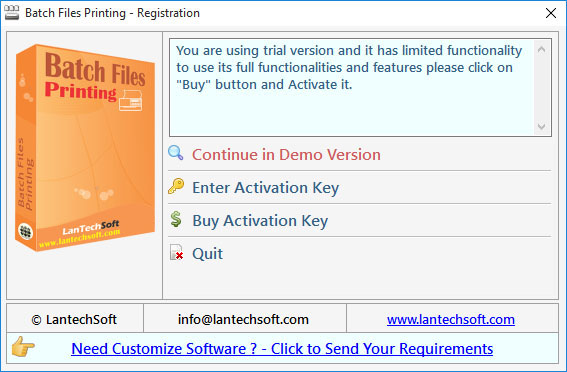
Q.1. How to Register, Buy and Activate the software?
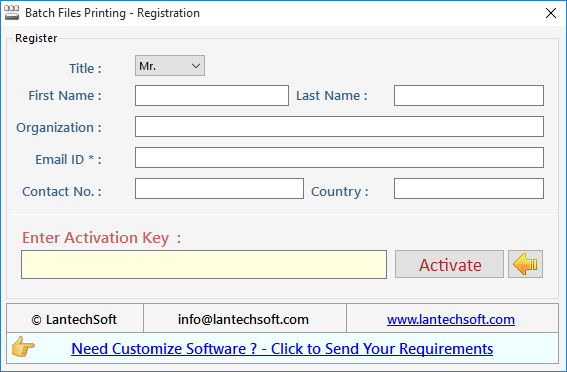
Register: To register the "Batch Files Printing" click on the "Enter Activation Key" Button and fill the Registration Detail with the Activation Code.
Buy : You have to Buy "Batch Files Printing" to get Activation Code. You Can Buy it From our Site by Clicking on "Buy Activation Key" button.
Try Demo: You can use demo version of "Batch Files Printing" by clicking on "Continue in Demo version" Button.
Q.2. How to Add Files and Folders to the List?
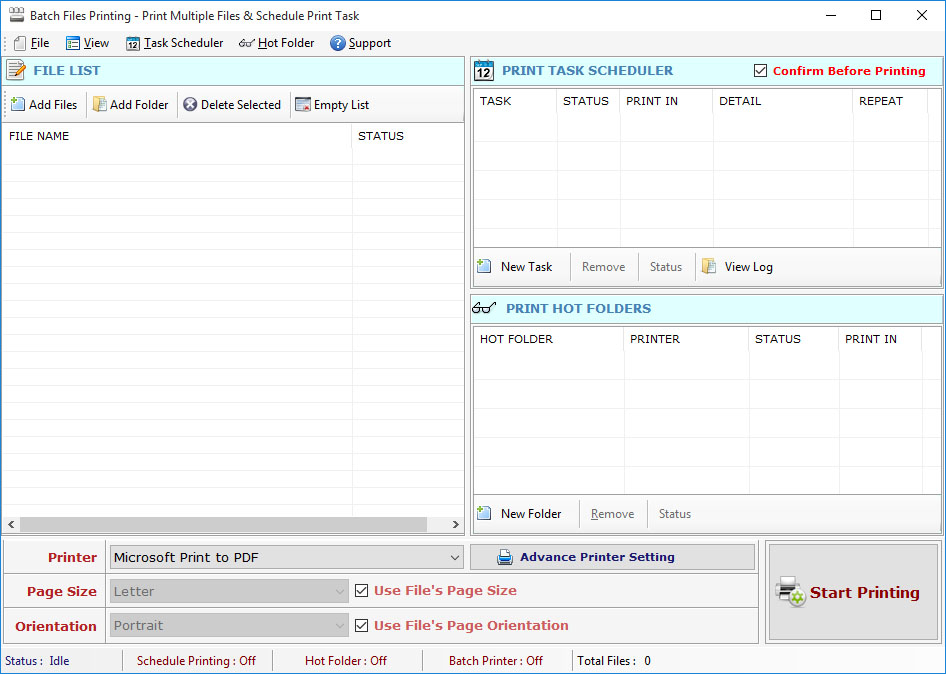
First you run "Batch Files Printing".
Now you can add any printable Files such as (DOC, DOCX, XLS, XLSX, PDF, PPT, TXT, RTF, XML, HTML etc.) or Images of formats (JPG, JPEG, GIF, TIF, TIFF, PNG, BMP, EXIF, ICO etc) by click "Add File(s)" button and select files.
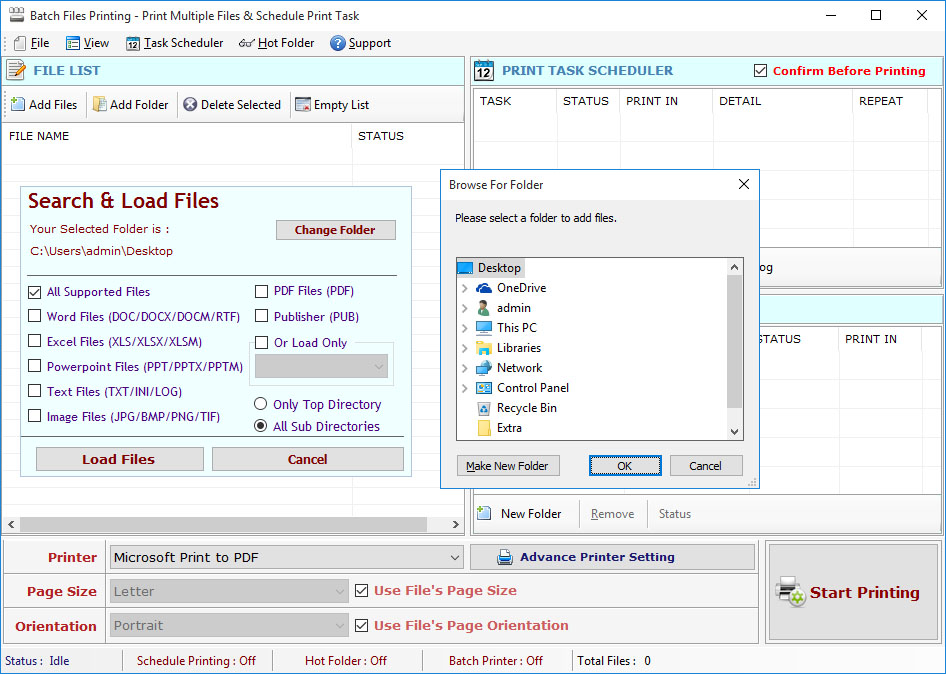
You can add any printable Files such as (DOC, DOCX, XLS, XLSX, PDF, PPT, TXT, RTF, XML, HTML etc.) or Images of formats (JPG, JPEG, GIF, TIF, TIFF, PNG, BMP, EXIF, ICO etc) from directory and sub-directory by click "Add Folder" Button and select a directory, It will add all files and images available in that specified directory.
Q.3. How to Select Printer and Print all Selected Files?
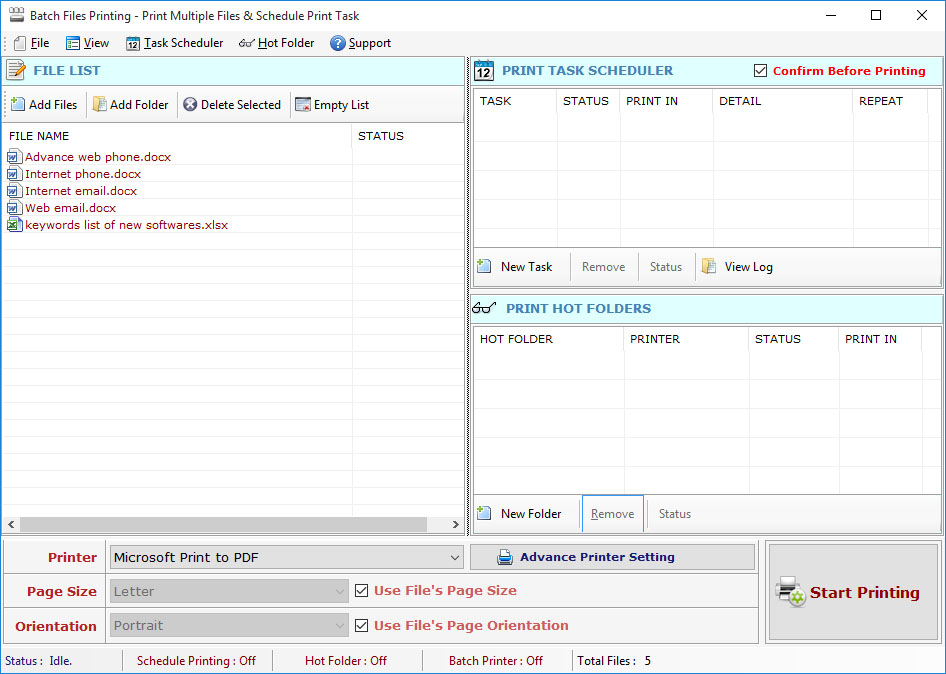
Now you select Printer from "Select Printer" List of Printers, Page Size, Page Orientation and number of Copies..
Now click "Print" button for print all selected files.
Printer Settings: You can change printer settings to print the document as per your requirement you can select any printer if you are working on a network.

Q.4. How to Use Scheduler for Schedule Printing for all Selected Files?
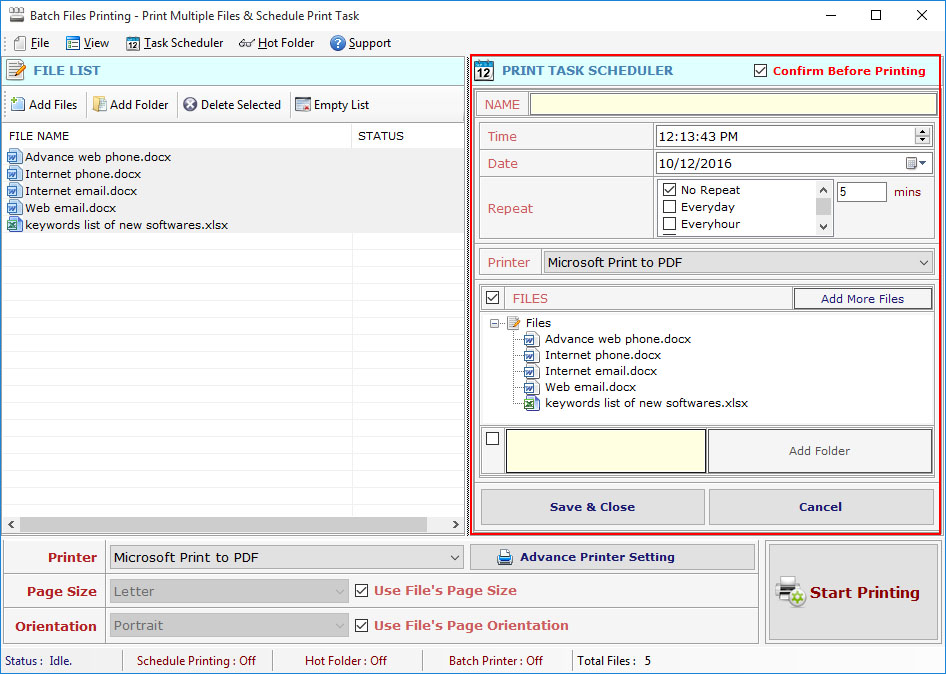
This tool support the scheduling printing of selected files for day, any time. please select the date and enter the time when you want to print your file:
For scheduling the files printing, click "Open Scheduler" Button.
In the Scheduler Window add files, printer settings, Time and Date.
Finally Click "Save\Close" button.
Q.5. How to use Print Hot Folders?
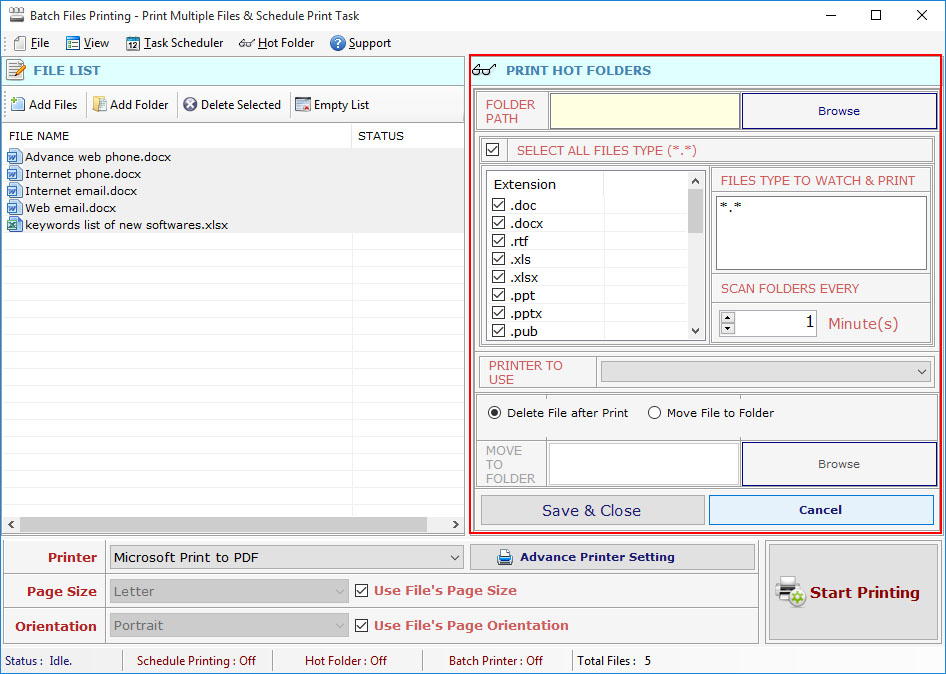
For "Hot Folder" Add or Remove folder to Hot Folder option.
Hot Folder tracks the file for print in the specified directory.
you can define the directory for watch regularly.
Q.6. How to Deactivate Software to transfer to other PC?
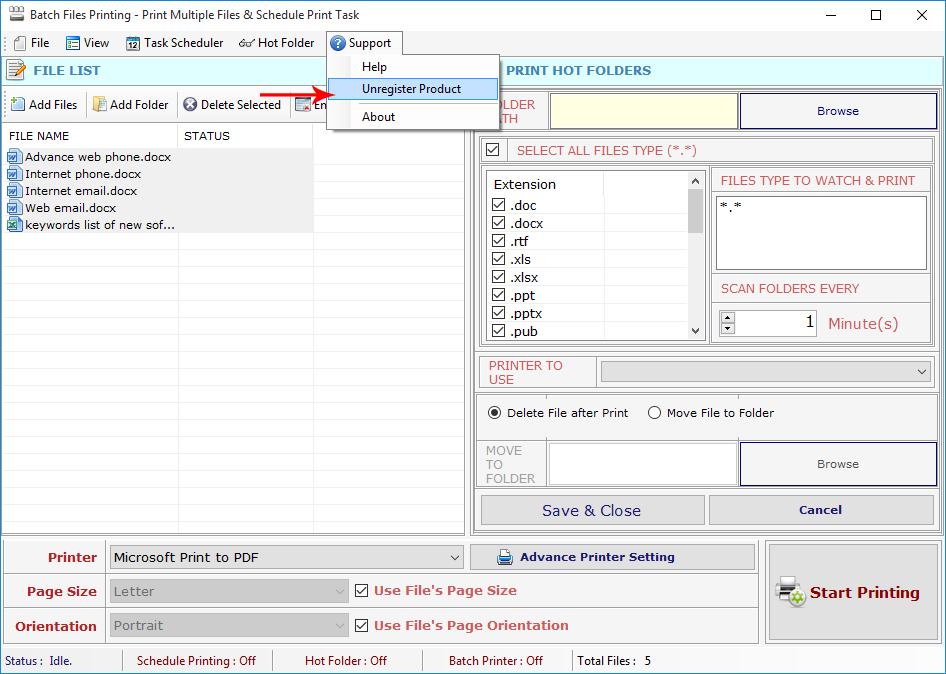
Step 1 : Go to Support Menu. Now click on Unregister Product option.
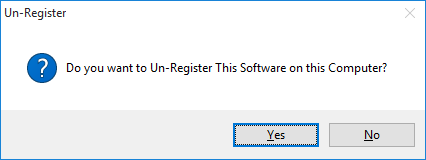
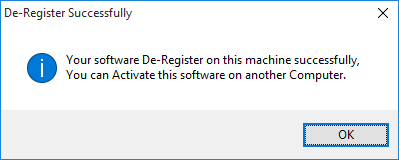
Step 2 : Unregister from current PC
Step 3 : Install the software on new PC and Register it with same Activation Key.